
🚀 WordPress Login 2FA – Now Built into Staq (No Plugin Needed!)
We’ve just launched a game-changing security feature — and we believe it’s a first for any Managed WordPress Hosting platform
You can now enable 2FA (Two-Factor Authentication) for WordPress logins without using a plugin.
This feature is built directly into the Staq platform, giving you powerful, seamless security that you can roll out instantly across all your sites — or apply individually.
This feature comes at the best time given the recent largest password dump in history exposes over 10 billion passwords!
🔐 Built-In, Email-Based 2FA for WordPress
Our infrastructure-level 2FA sends verification codes via email after a successful login — adding a critical layer of protection to your admin accounts.
You can apply it in two ways:
- Globally across all sites – with one setting, apply 2FA to every current and future WordPress site in your account.
- Individually per site – configure which roles require 2FA on a per-site basis.
⚙️ How to Enable Global 2FA
Go to your Staq dashboard under:
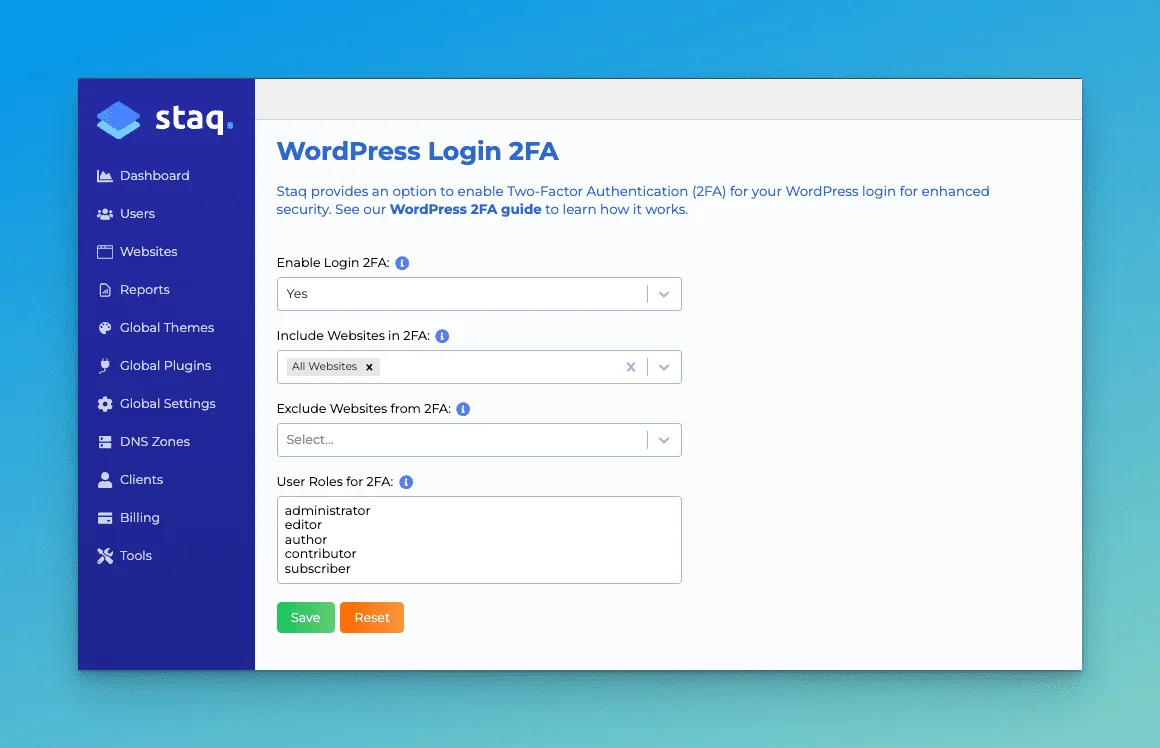
Global Settings → WP Login 2FA
From the dropdown, set Enable Login 2FA to Yes, then choose All Websites. You can also fine-tune user roles or exclude specific sites as needed.
🧑💻 Apply 2FA to Individual Sites
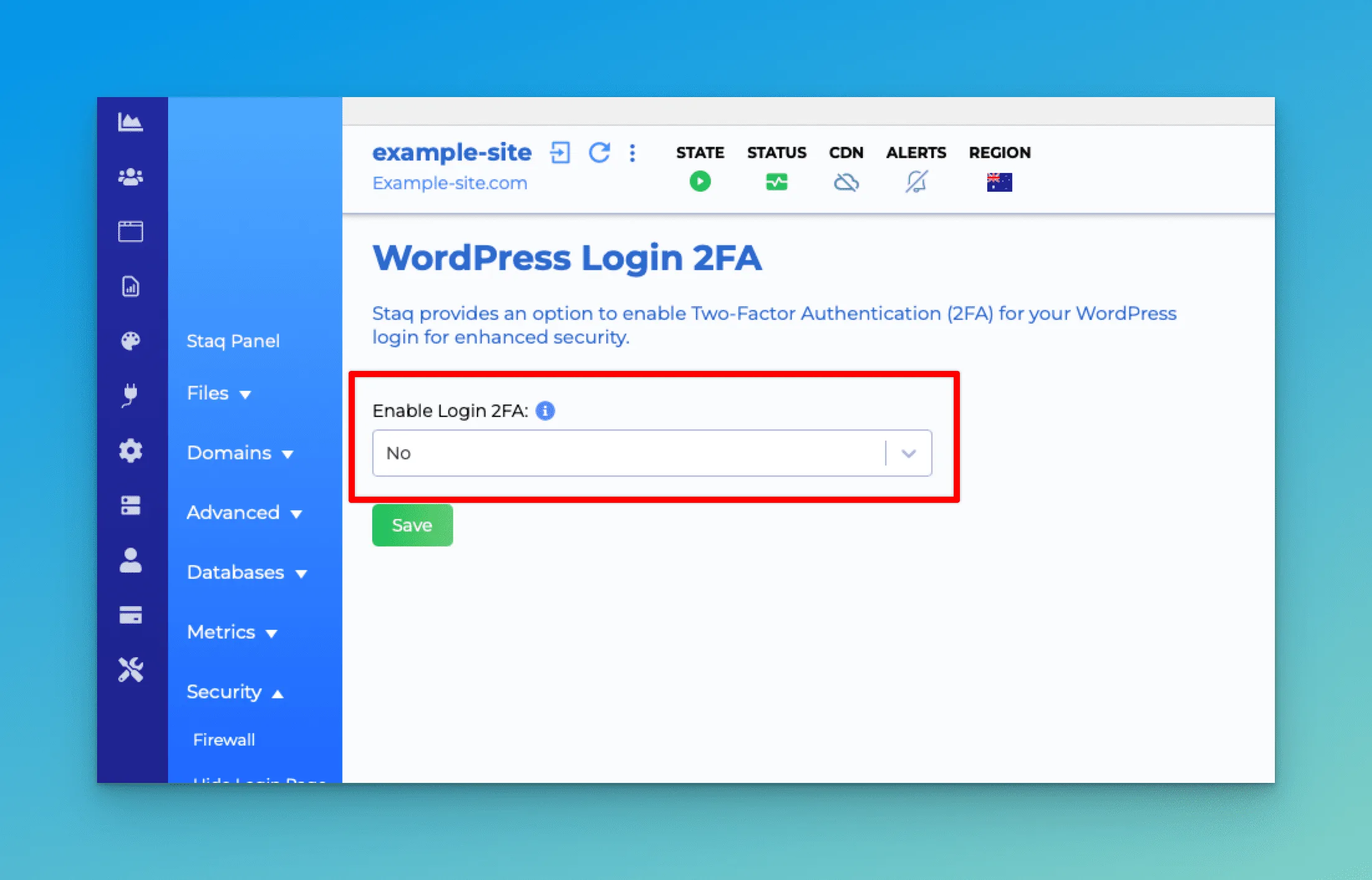
Prefer more granular control? Navigate to the WP Login 2FA section in any individual site’s Staq panel to activate 2FA for just that site.
You can define which WordPress roles should require 2FA, and save your changes with one click.
🔄 Want to Replace an Existing 2FA Plugin?
You can bulk delete third-party 2FA plugins across your entire portfolio using our plugin manager:
👉 How to delete plugins across all your sites in one hit
How to enable 2FA
Check out this knowledge base guide on how to enable 2FA for WordPress hosted sites on Staq!
See it for yourself.
Create a WordPress environment in 60 seconds. Migrate your first site free. 400+ agencies already made the switch.
