
The new Staq dashboard
Announcement · The new staq dashboard
Built from the ground up. The command centre for your digital agency is more refined, faster to move through, and ready for what comes next: more AI, and MCPs. Now out!
Emmanuel Khoury, Co-founder
8 September 2026
We launched the last Staq dashboard in September 2020 as our beta product. Over the years we shipped countless features for digital agencies, and it got us to product-market fit in 2023. The vision was always the same: run the fleet from one place. We kept adding tools and tried to keep it tidy. Over time it aged. Reports, Client PDFs, assigning plans via Staq Billing, and a few things in between started to feel disjointed.
So we went back to the drawing board. Over the years, our team collected feedback in one document along with our future visions. AI is changing how agencies work. That was our chance to rebuild. Earlier this year we released the new infrastructure (the stuff that you can’t see), together with the Staq Hosting plugin that lives inside each WordPress site hosted on Staq. The last item on the list was the Staq dashboard. We wanted it to feel familiar. Obviously with a modern UI, an enhanced UX, and ready to scale with more agency-focused features in the future.
The old Staq Panel was a long menu of coloured boxes like a cPanel UI. You opened a site and got a wall of icon tools. Each screen had its own habits. Depending on your monitor size, the icons shifted to different positions and it didn’t feel natural.
A File Manager didn’t exist, and neither did phpMyAdmin. The Staq Panel was a set of icons you could not rearrange. The websites table was useful but it was also stuck. The Staq Billing system, where you automate client charging, was confusing. Client Reports lived in another place. You knew the product. You still had to remember where each job hid. But now that changes with the new dashboard.
Welcome to your new home
Welcome to the new Staq dashboard. When you open the Staq Panel now for each site, it feels seamless and together in one place.
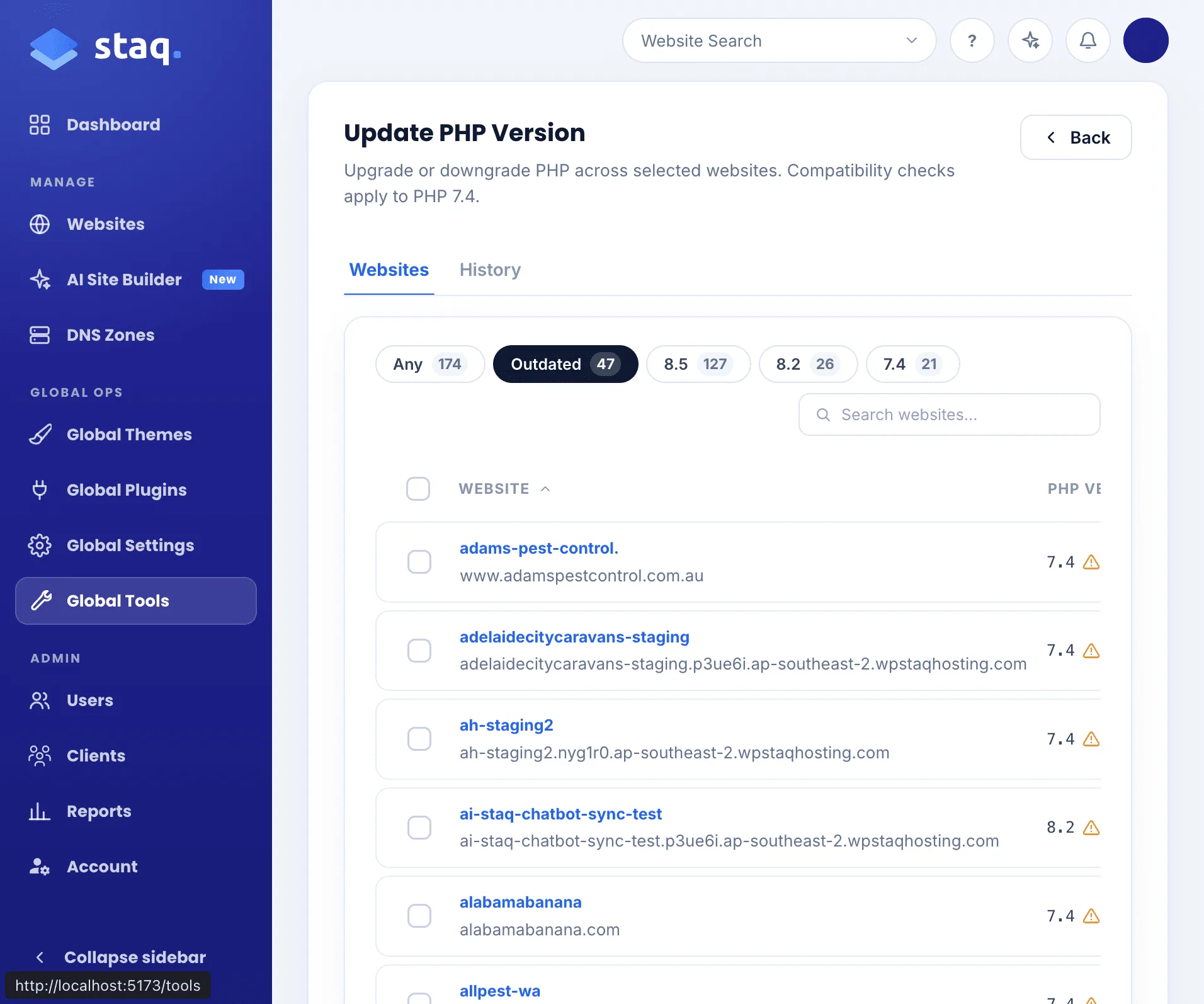
If you wanted to do things at scale, i.e. do a bulk change of PHP versions for selected sites, you now can.
We’ve designed it in a way so it doesn’t seem that you have to learn the command centre again. It’s what you expect but seamless.
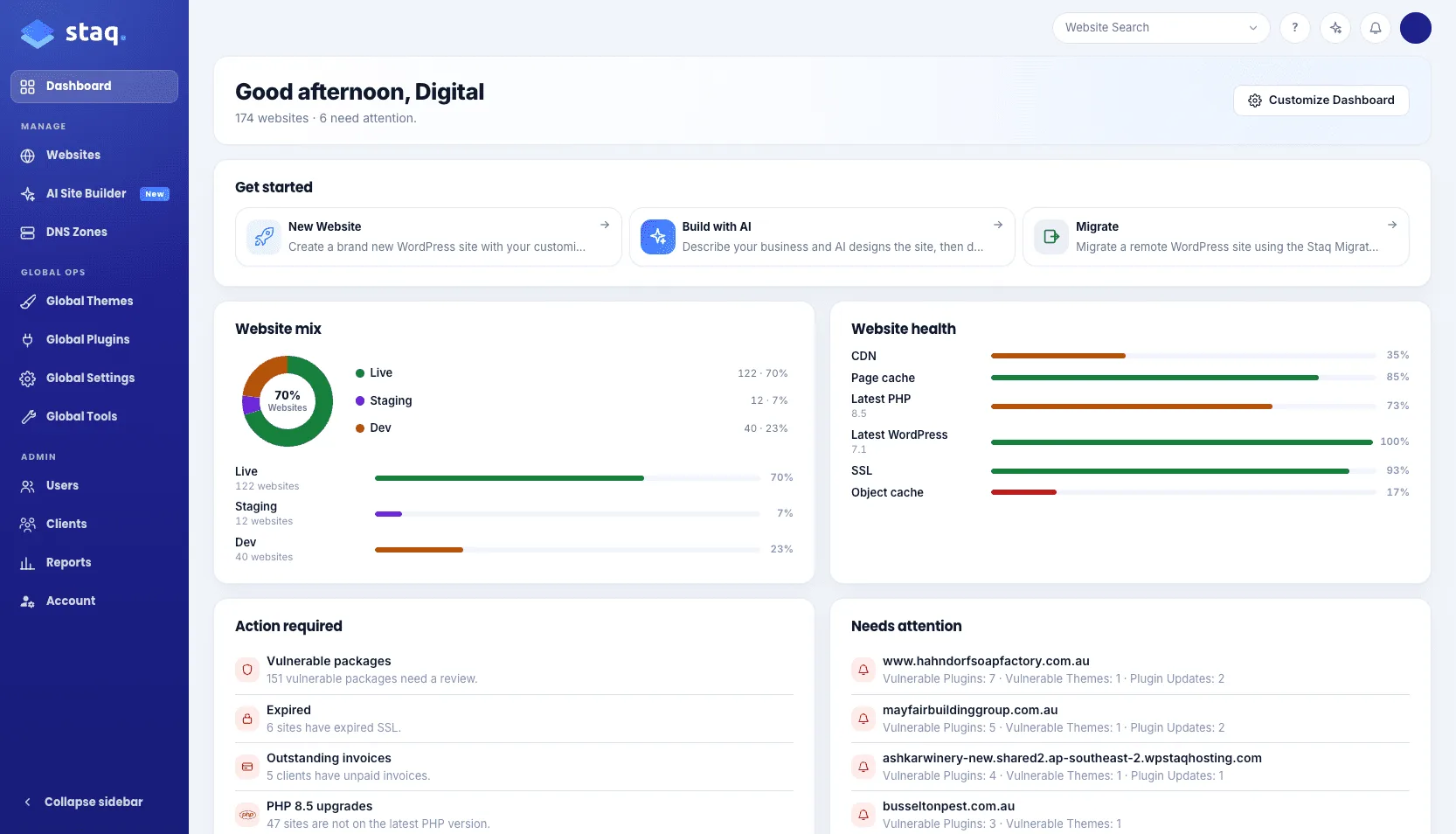
You land on Home. The title is not “Dashboard”. It is a greeting in your Profile timezone: Good morning, Good afternoon, or Good evening, plus your first name.
That is the shift. The old dashboard showed mix and health as charts. Useful. Quiet. v4 puts Action required and Needs attention on the same page. Fleet counts on one card. In the near future we will push this further, so Home leans even harder into what needs you now.
Personalization
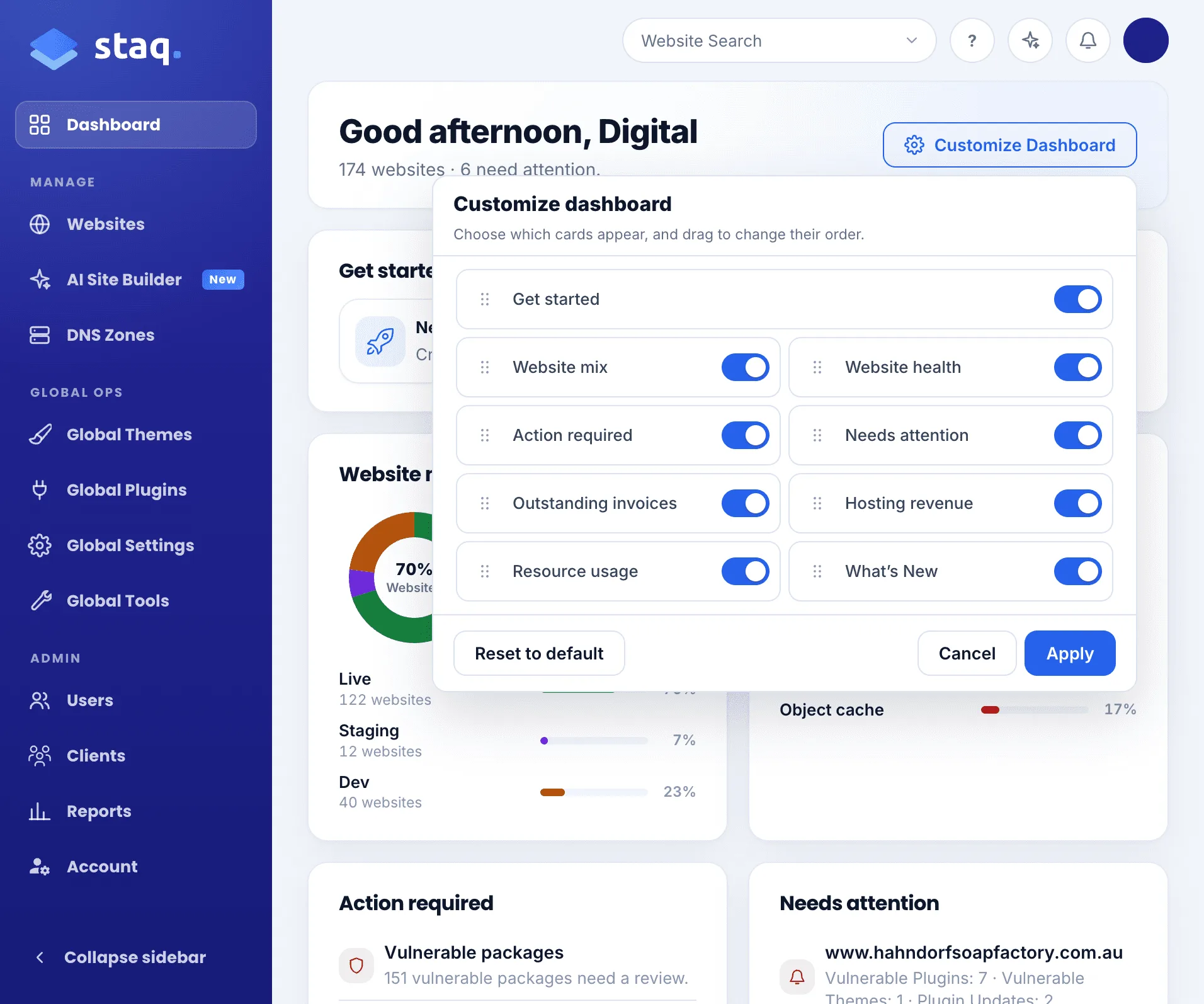
We are moving toward more personalization. Customize Dashboard is the first cut of that. Show the cards you want. Drag the order. Reset when you change your mind.
The websites table, finally yours
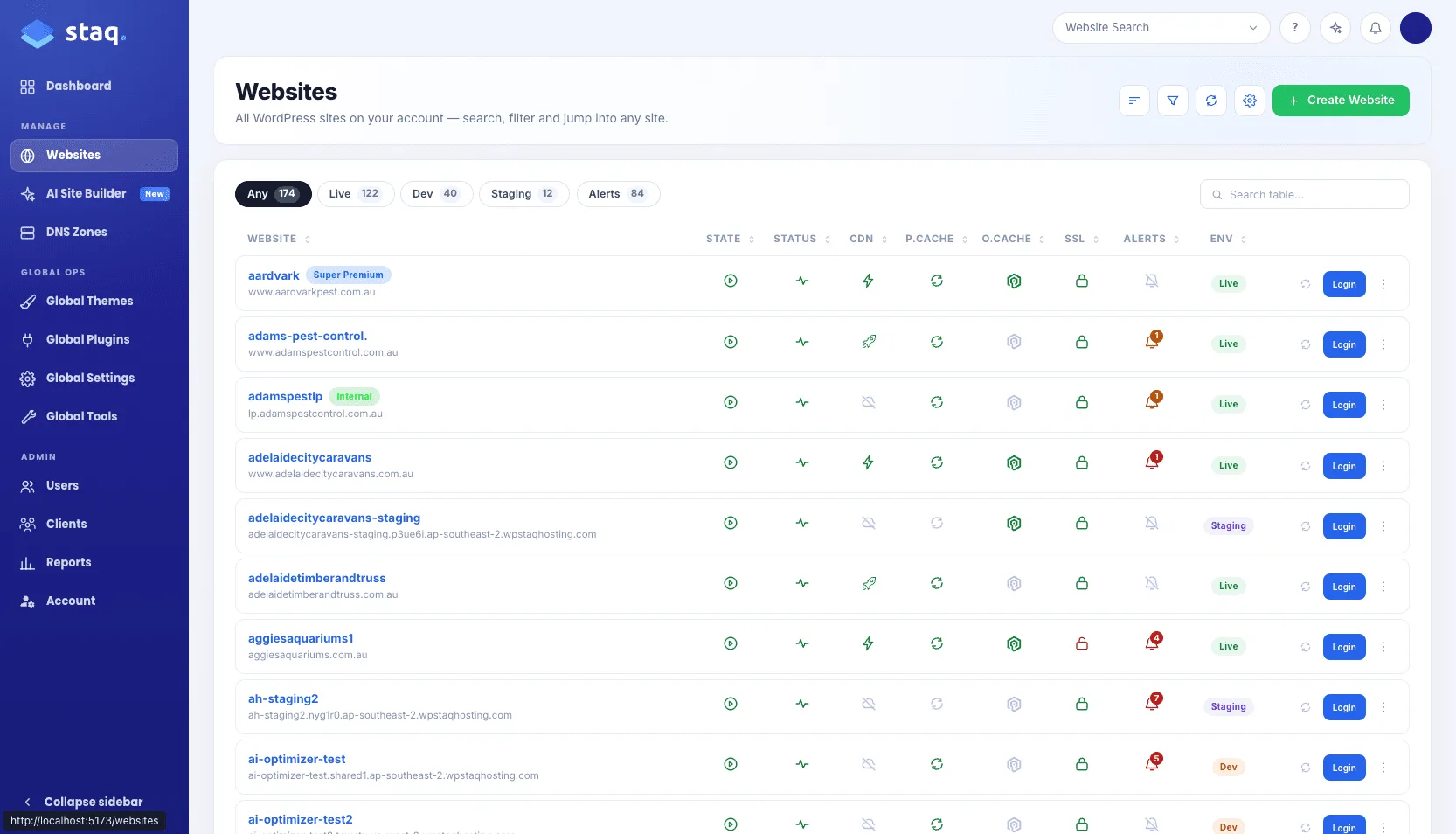
Open Websites and you will feel the cleanup first. Environment chips sit with a lone Alerts chip. Search is another filter. They work together.
Personalization
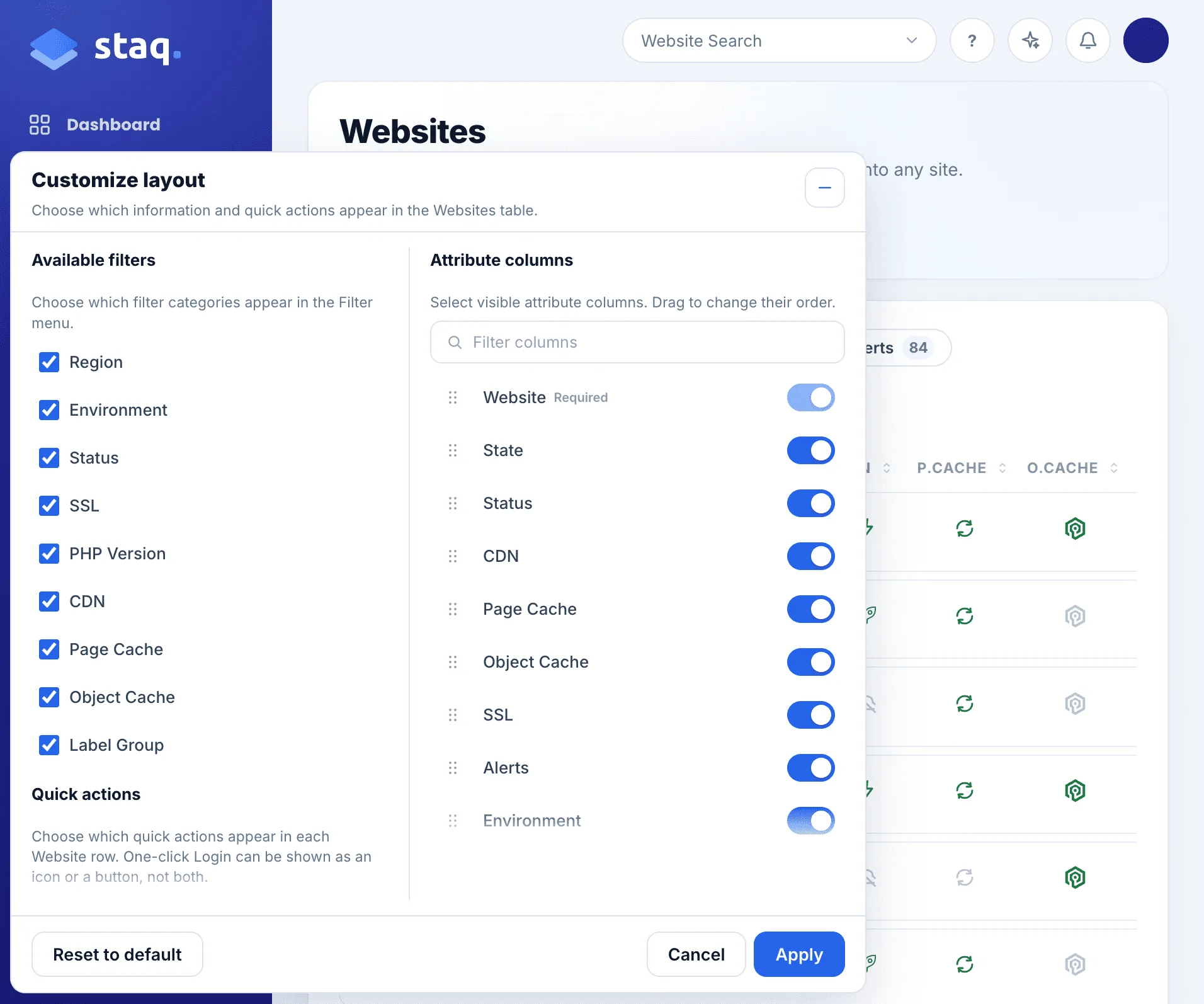
Then the gear beside Create Website. That popup is new. Columns. Icon or Login button. Clear cache on the row if you want it. Comfortable or compact. Drag the order. The table stops being our opinion of your day, and starts being yours.
Spinning up an environment
When spinning up a new environment, whether that is creating a new site, migrating or cloning, you now see a log event UI:
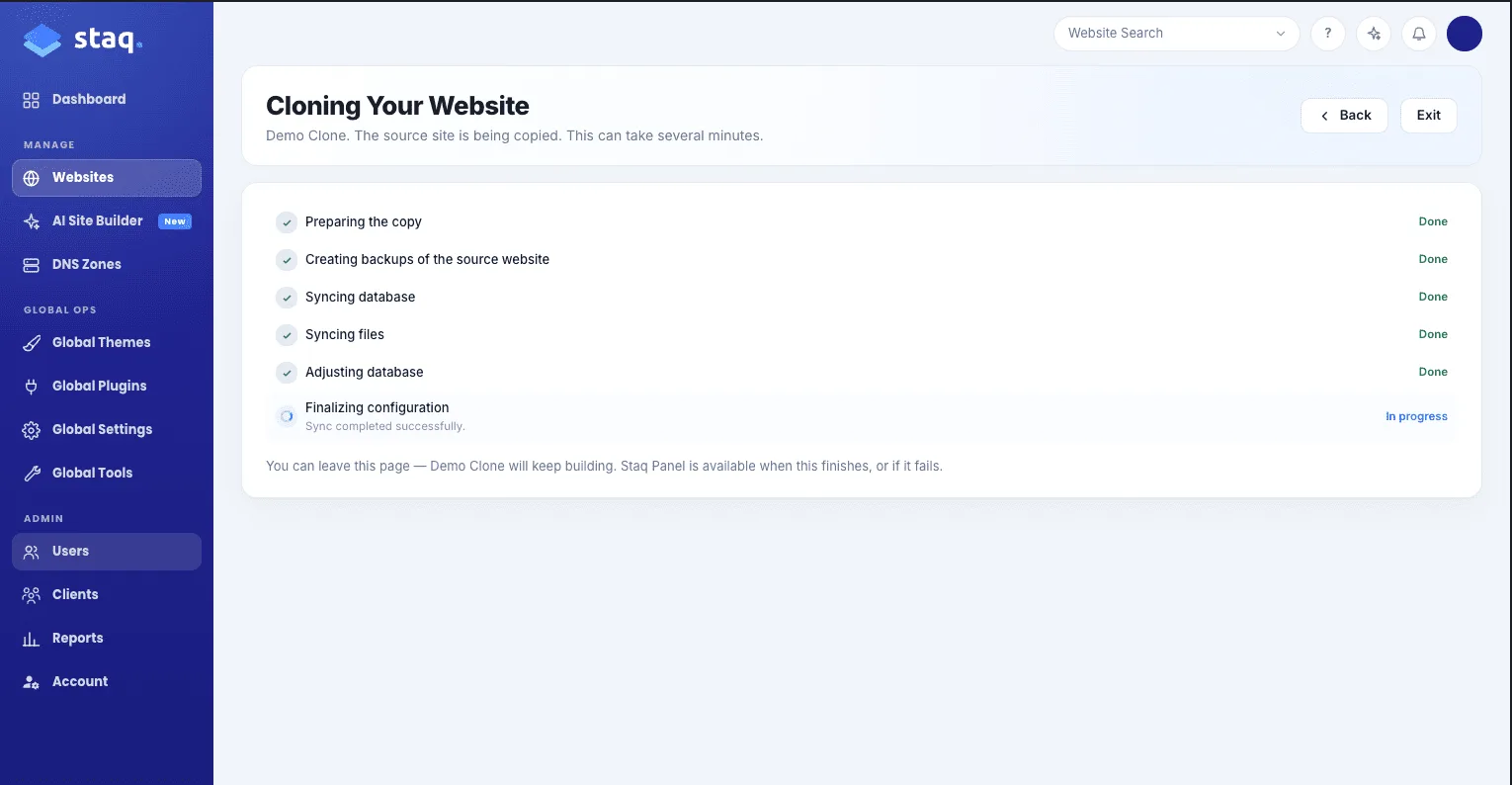
Once it has completed, we celebrate with confetti just to add some fun to our day:
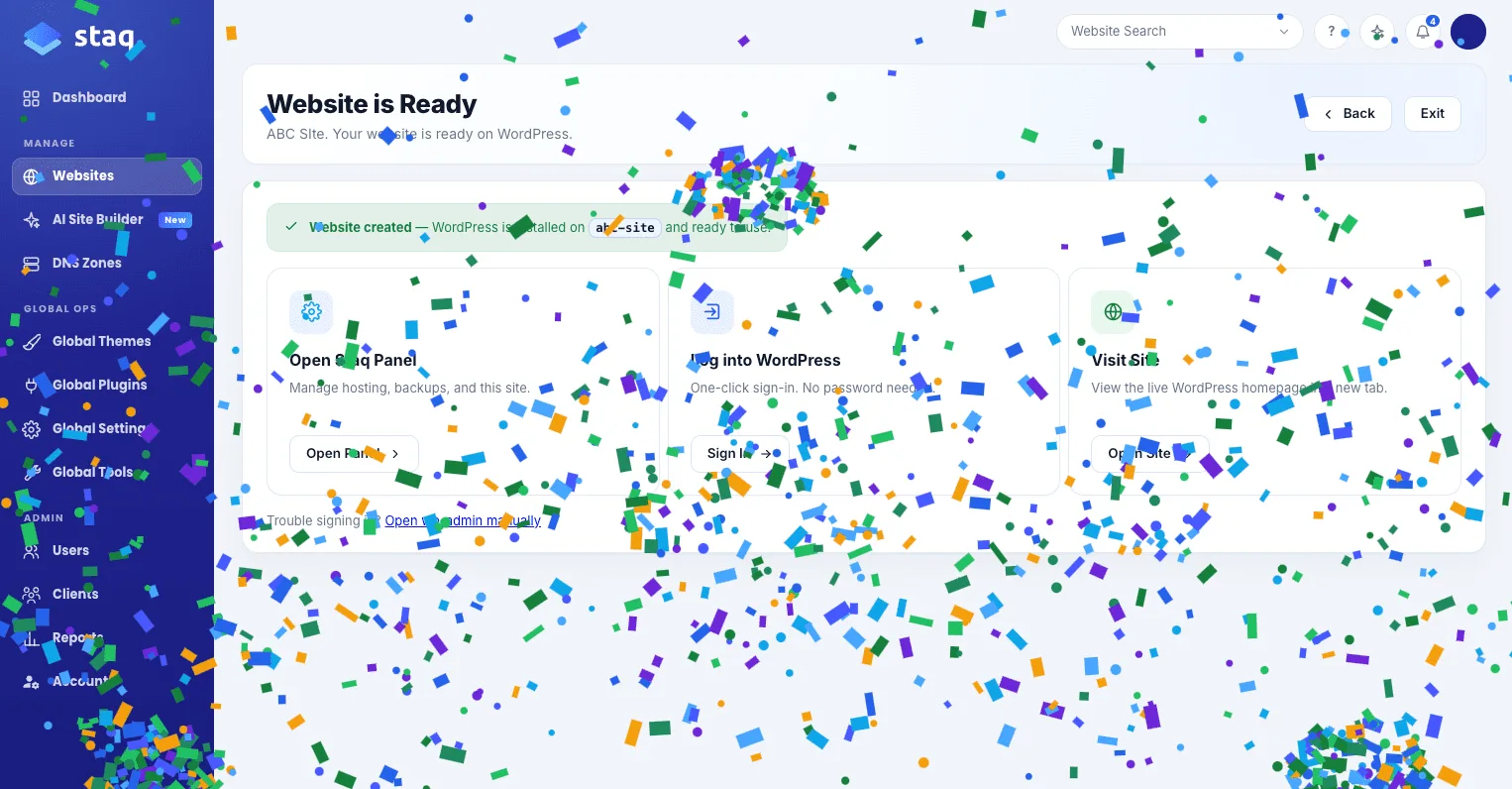
Introducing the new Staq Panel: Same product, one motion
This is where the old dashboard used to slow you down. You clicked a site and landed in a stack of coloured icons like a cPanel UI. Files. Domains. Advanced. Database. Metrics. Security. Integrations. Each group was a list. Each list was a slightly different screen.
We want you to navigate faster so we introduced an organized sub-menu for each section: Files, Domains, Server, Database, Reports, Security and Account.
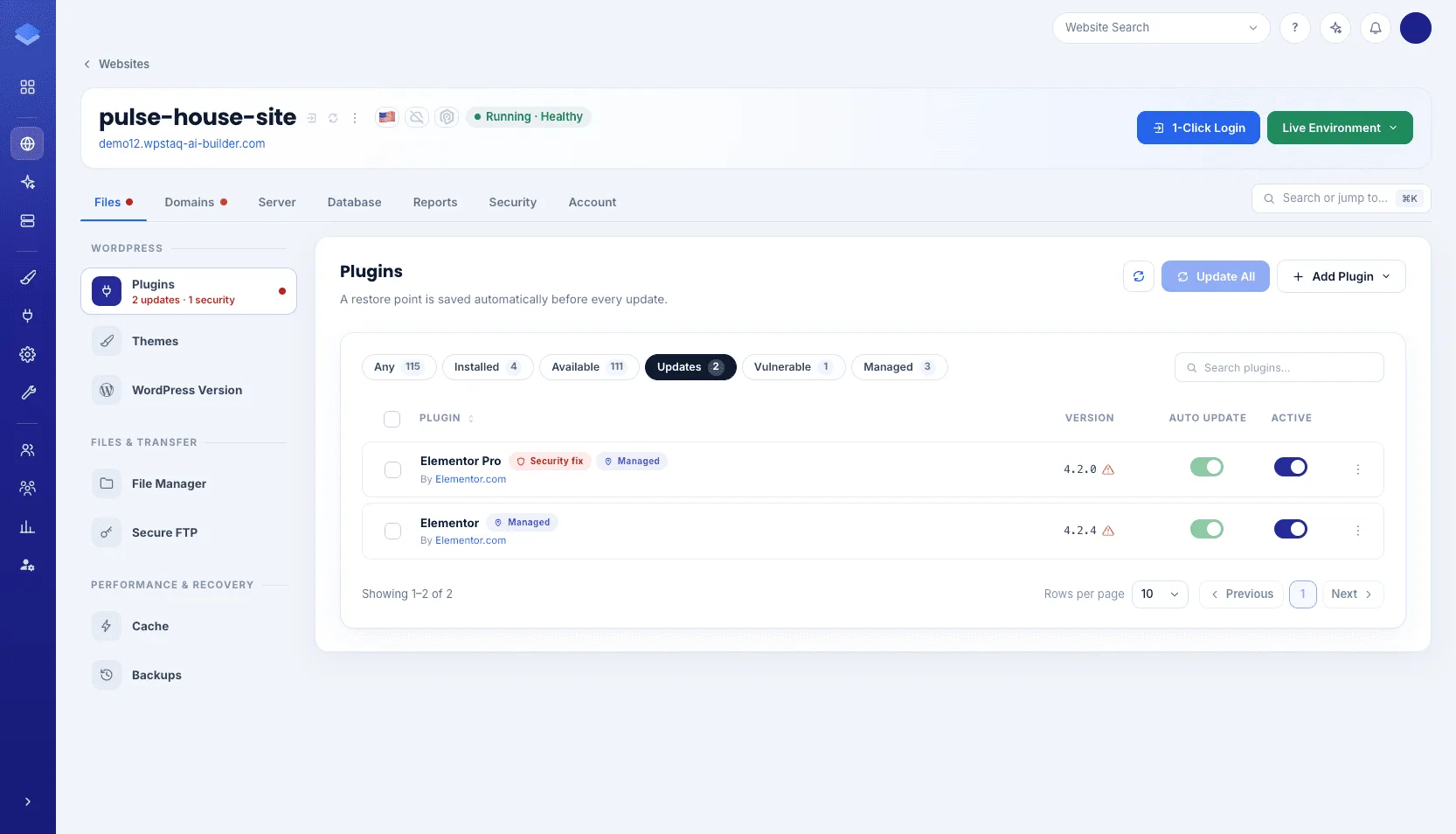
Shortcuts
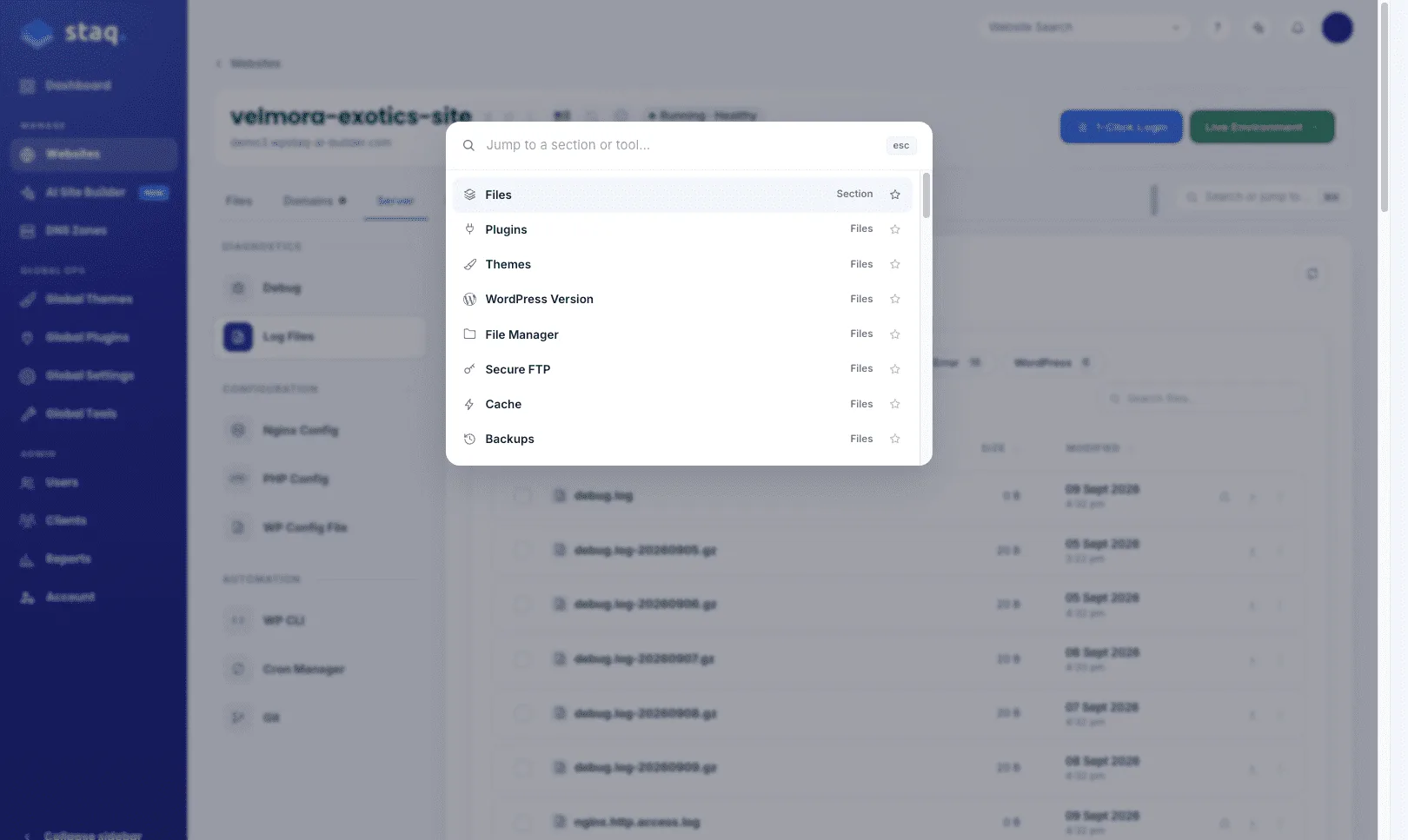
Click Search or jump to tools, or press ⌘K (Ctrl+K on Windows):
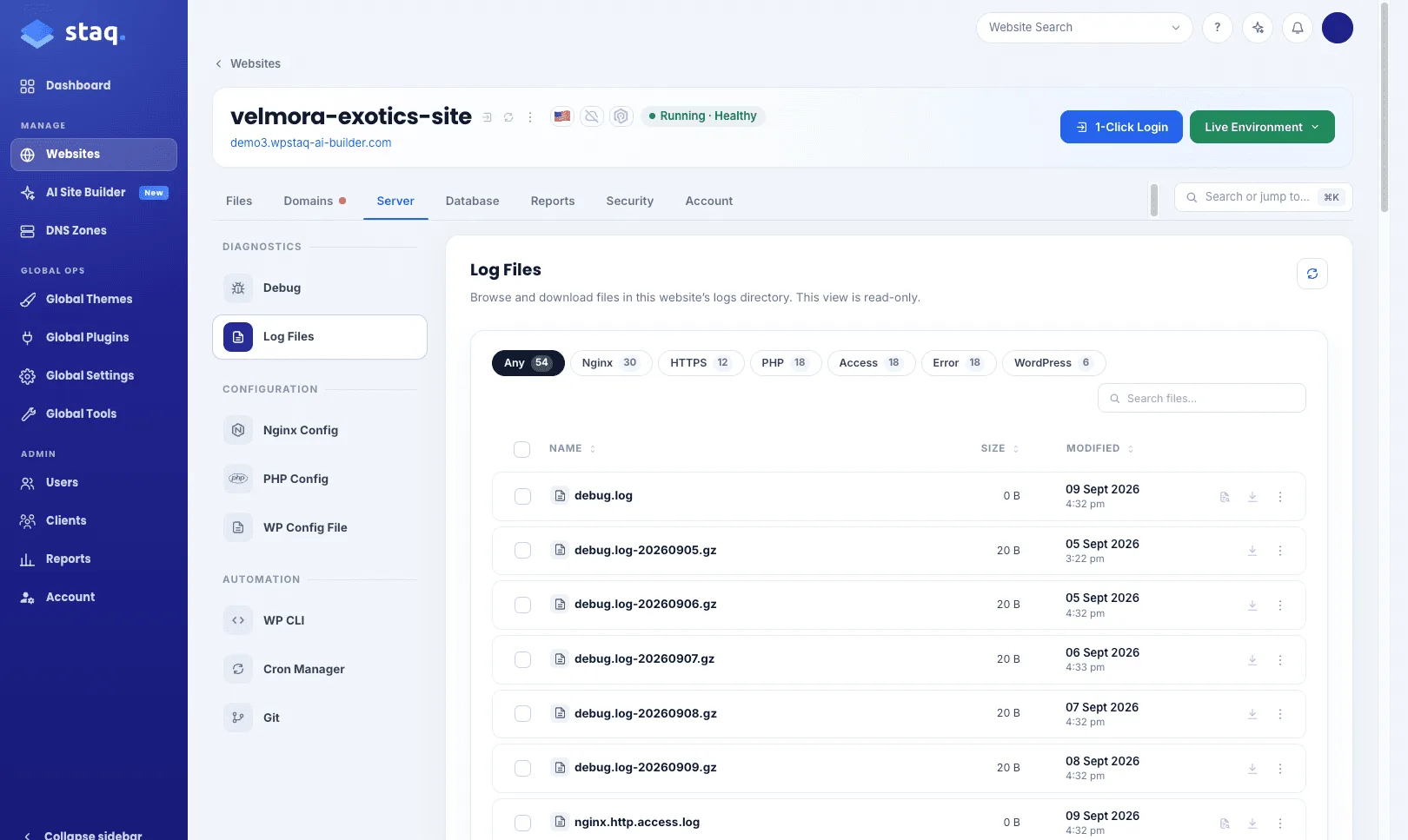
Type a function. Hit enter. You land on File Manager, phpMyAdmin, Malware Scanner, wherever you meant to go, without walking the rail. Star a favourite or most-used tool and it pins across all your sites for easy access:
The new features
Now to the new features.
AI Site Builder
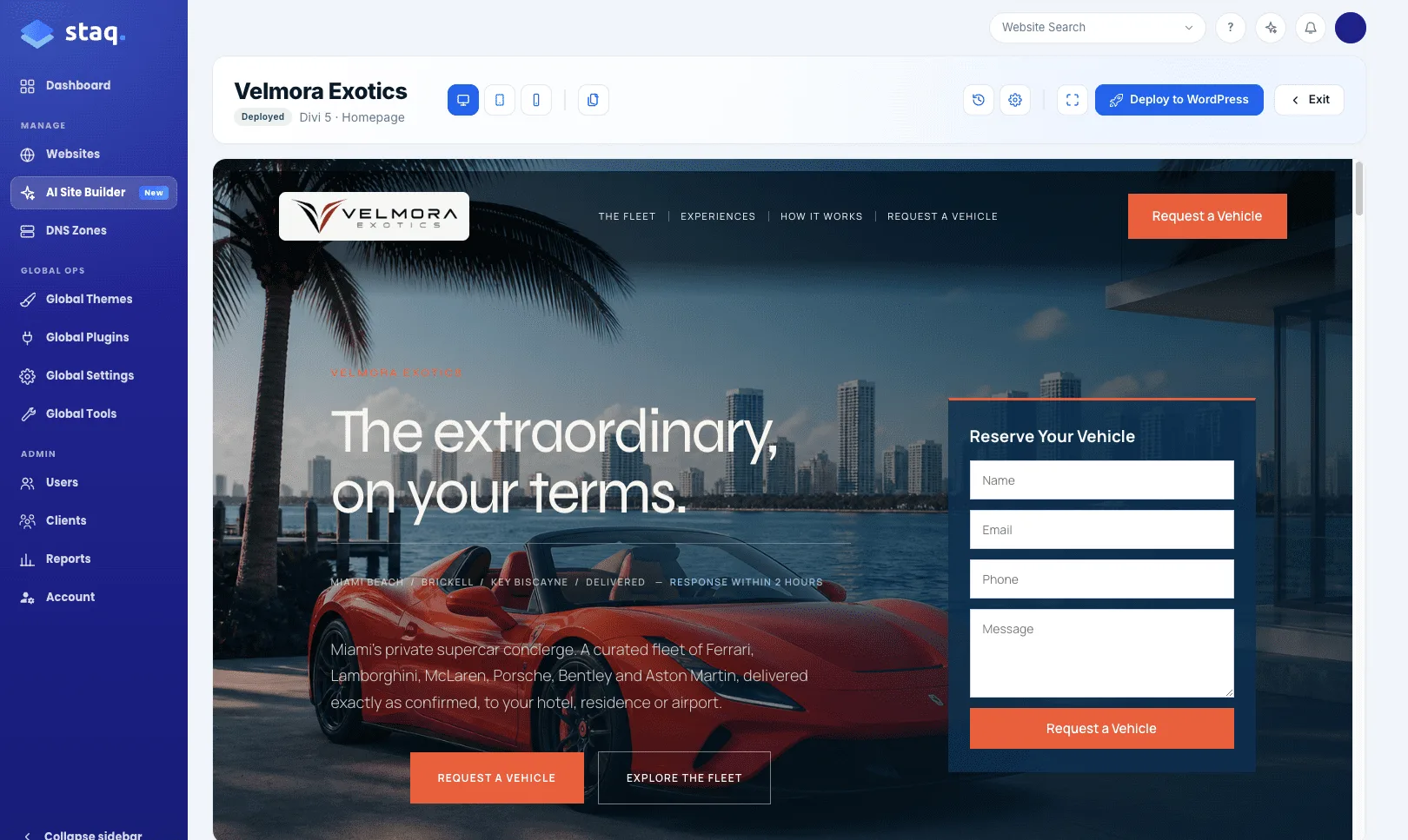
This is the feature we are most excited about. The vision behind this product is for you to build super-fast, professional WordPress websites that deploy natively to the desired page builder. We currently support Elementor and Divi. Soon, we will expand this to Gutenberg, Bricks, WPBakery and Beaver Builder.
It allows you to build efficiently while your client gets access to the website where they can manage it themselves. We will be introducing white label features shortly. You can read the full story in the AI Site Builder post.
Browser Challenge
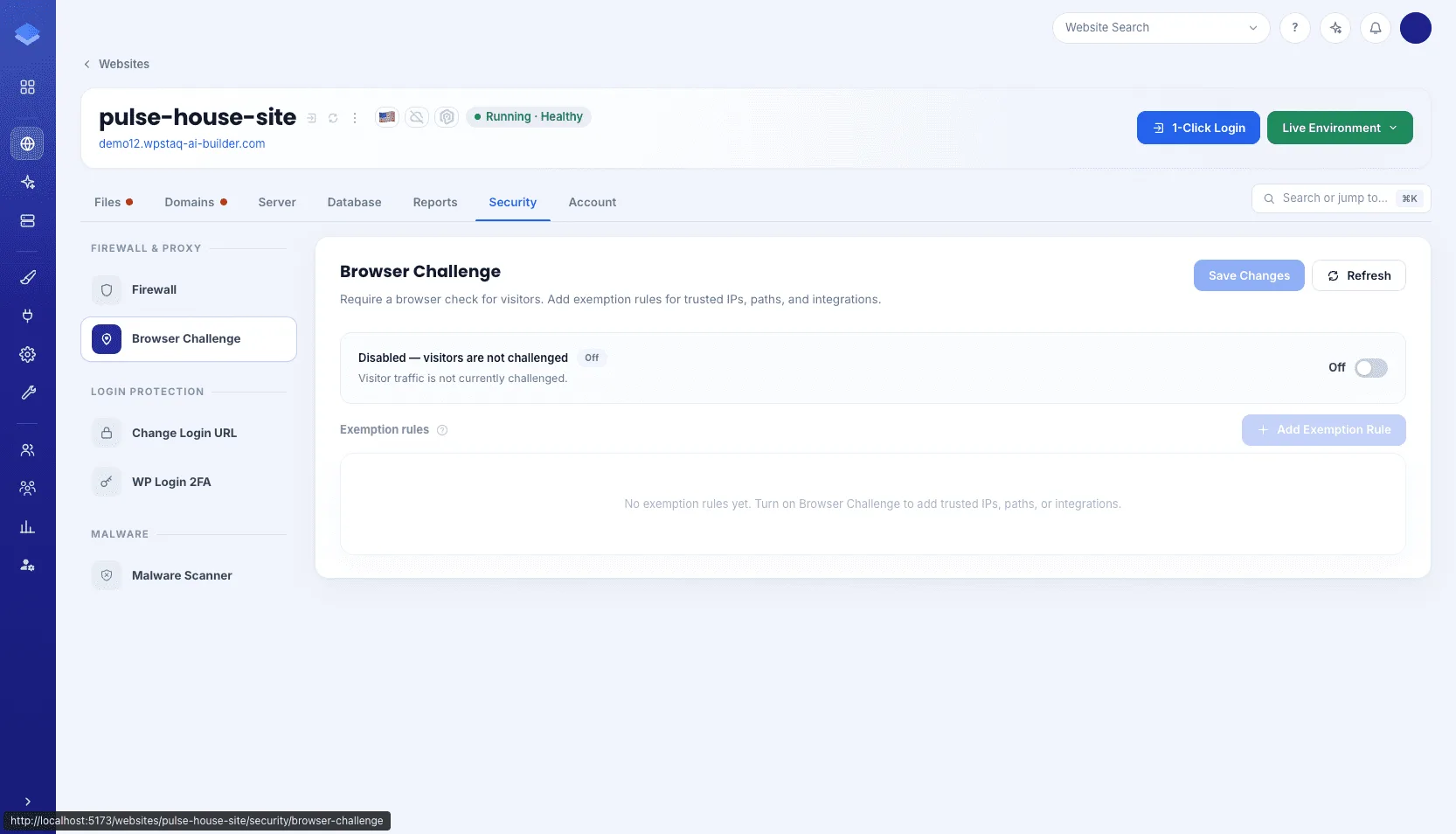
Inspired by the “Under Attack” feature of Cloudflare, we’ve created Browser Challenge, where it proves whether a visitor is a real browser. With the rise of AI bots, whether legitimate or illegitimate, we’ve had to rethink how the Staq Firewall works.
Malware Scanner
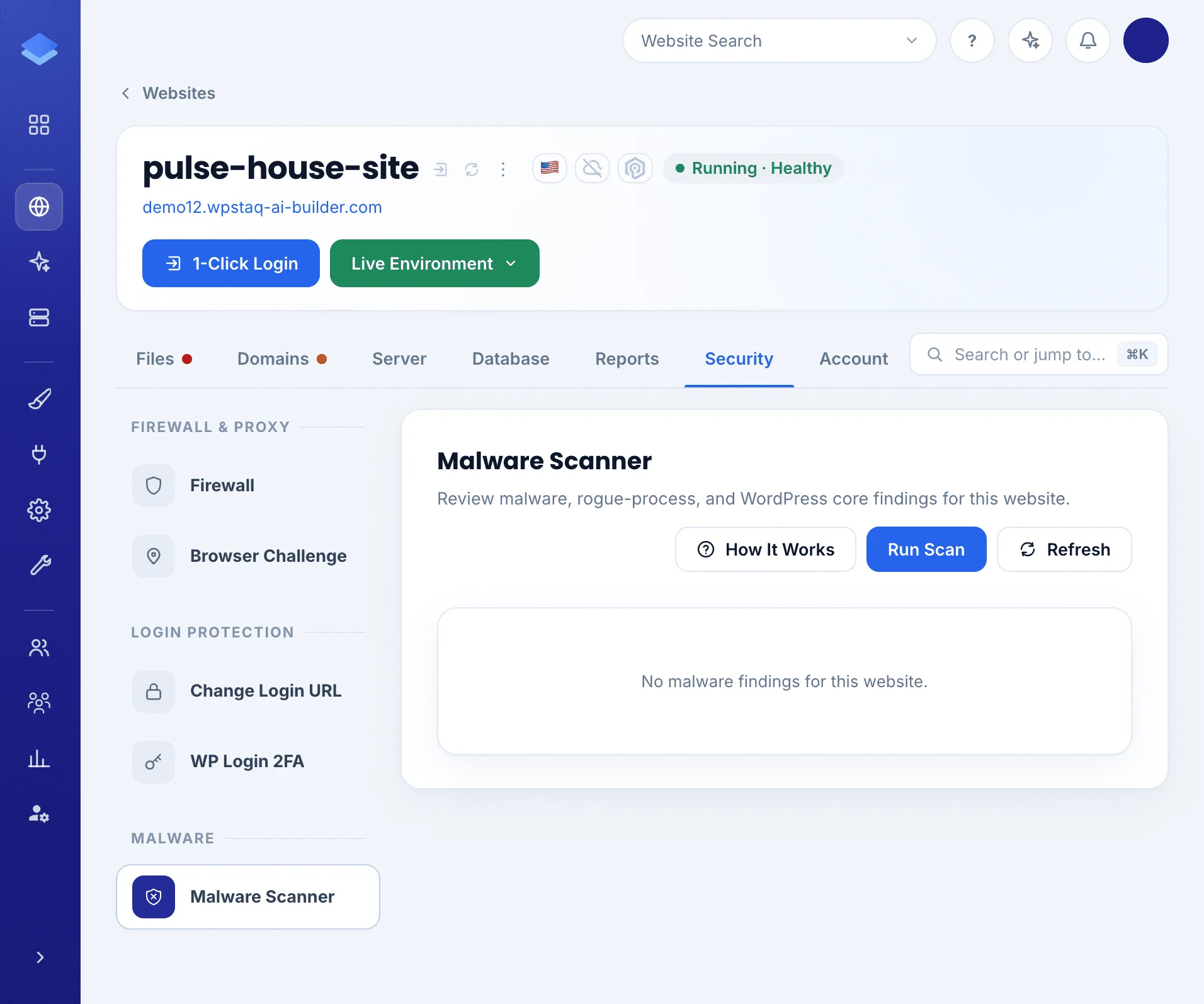
Not a plugin the client can switch off. It lives next to Firewall and Browser Challenge. Findings in the UI: files, processes, WordPress core. When Staq is sure (hash and size), it can delete. If it is less sure, it only alerts you. Restore is yours. Run a scan any time. The same findings also land in Reports, so you can see the fleet, not one site at a time.
phpMyAdmin
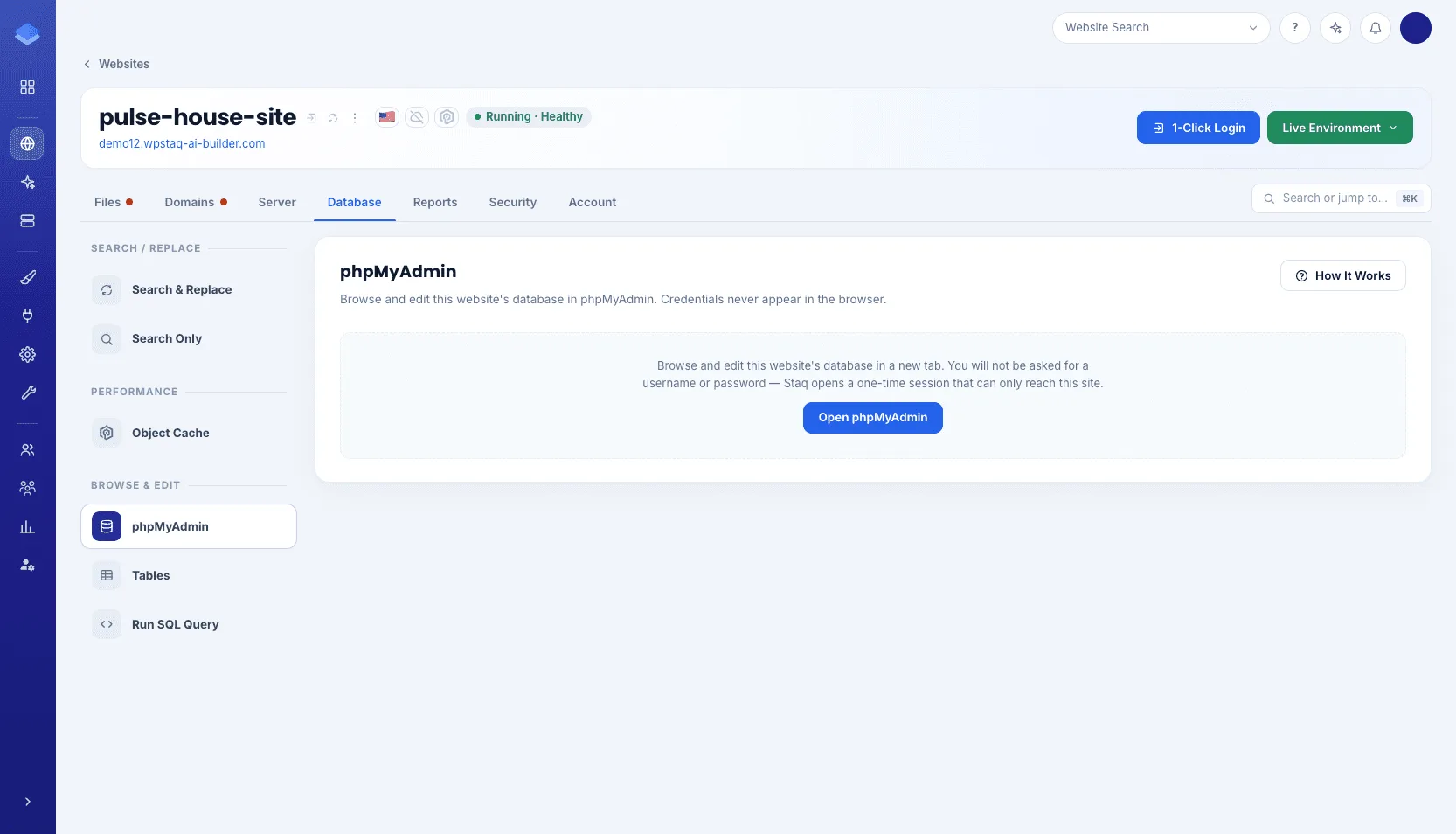
We’ve always provided access to the database, but you had to request access so we could whitelist your IP address. Now with the new Staq dashboard, we’ve introduced phpMyAdmin, where it does the authentication and whitelisting all in one click.
File Manager
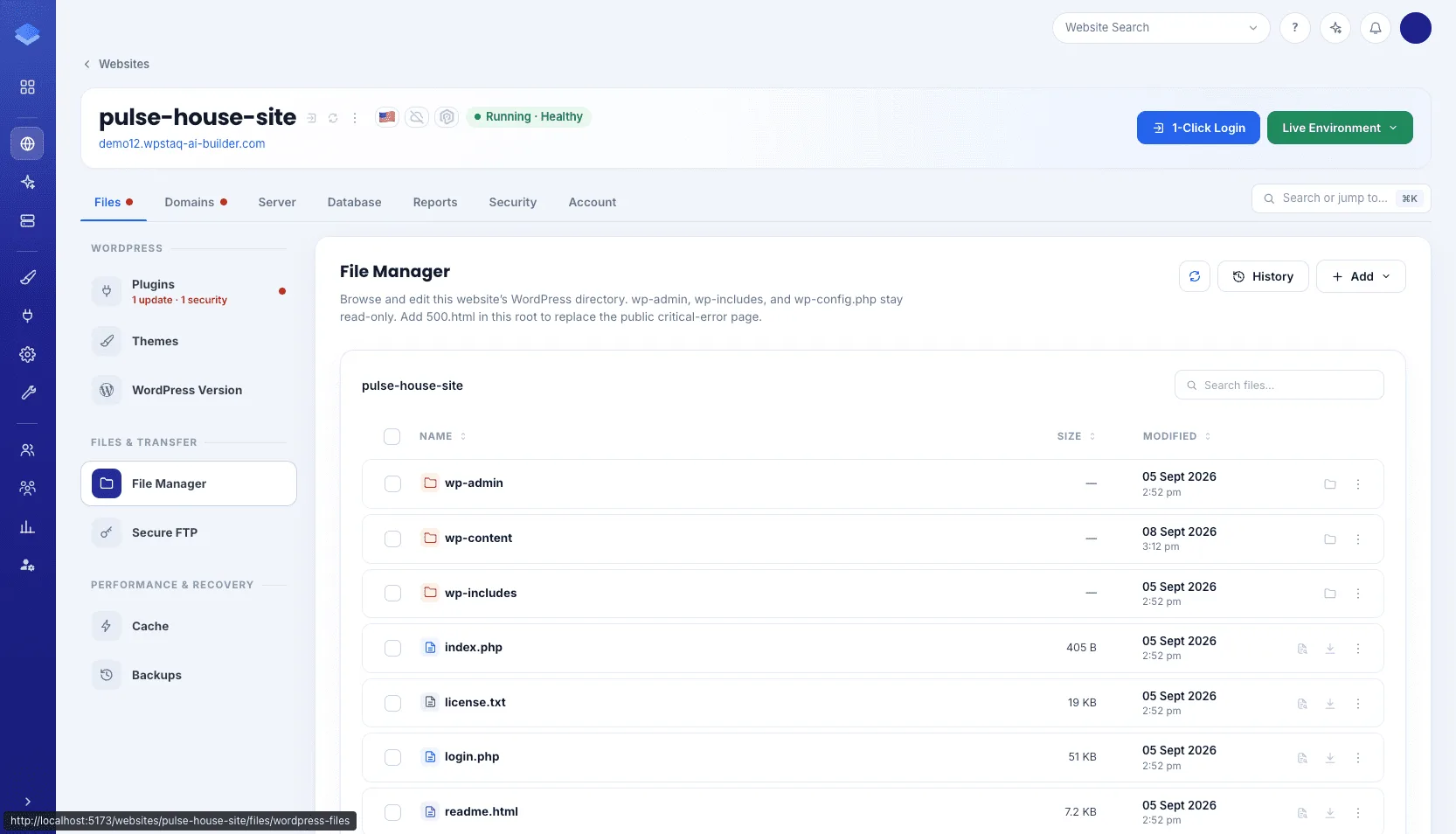
The old dashboard had a limited File Manager that existed in Plugins and Themes only, but it didn’t have a server file manager. Introducing the Staq File Manager, where you can upload, extract and compress files within the UI. We still support SFTP, but now you can use File Manager in conjunction with SFTP.
Log Files
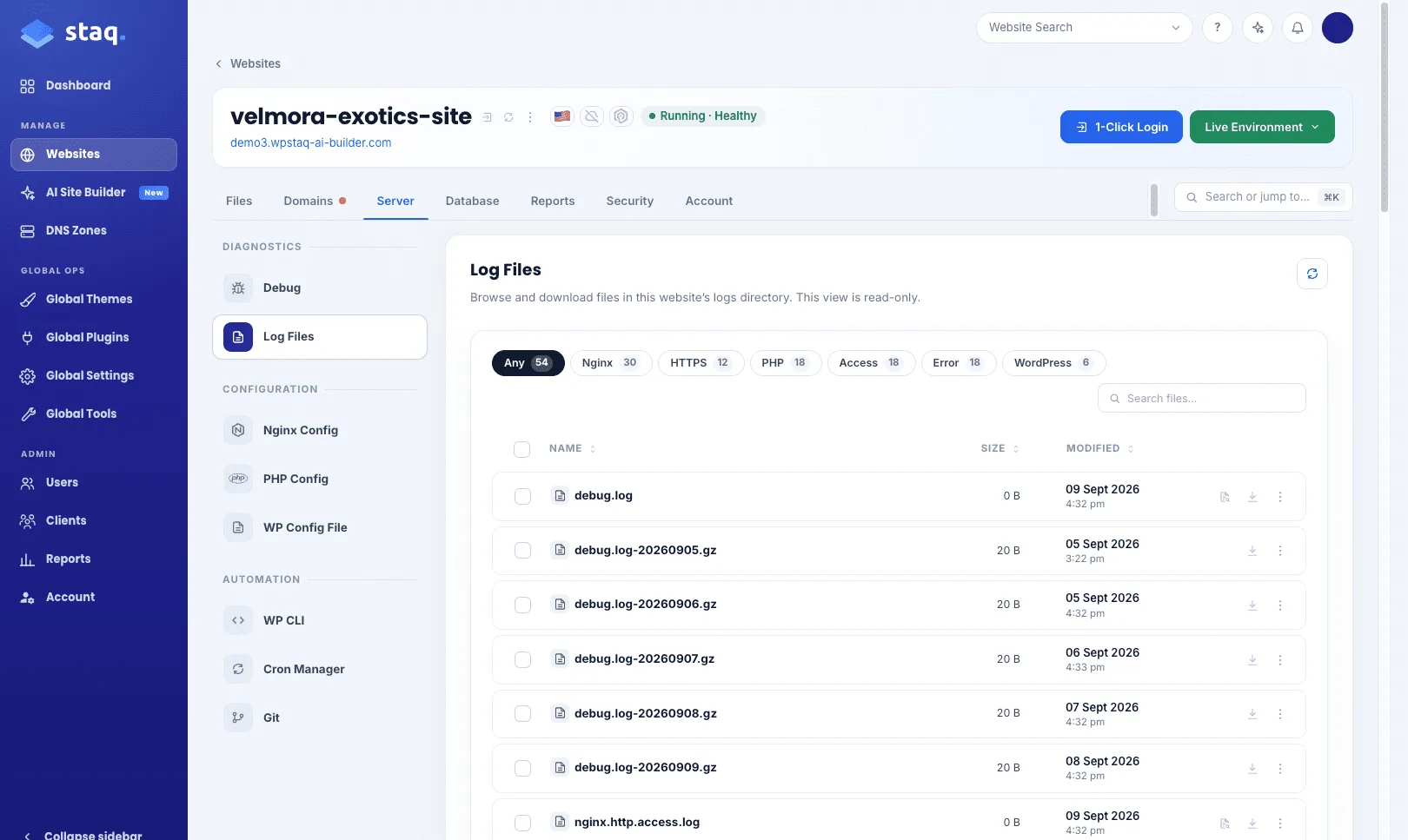
Debug already existed, but to access log files you had to log into SFTP. Now, you can easily download logs within the UI.
Improved Backup UI
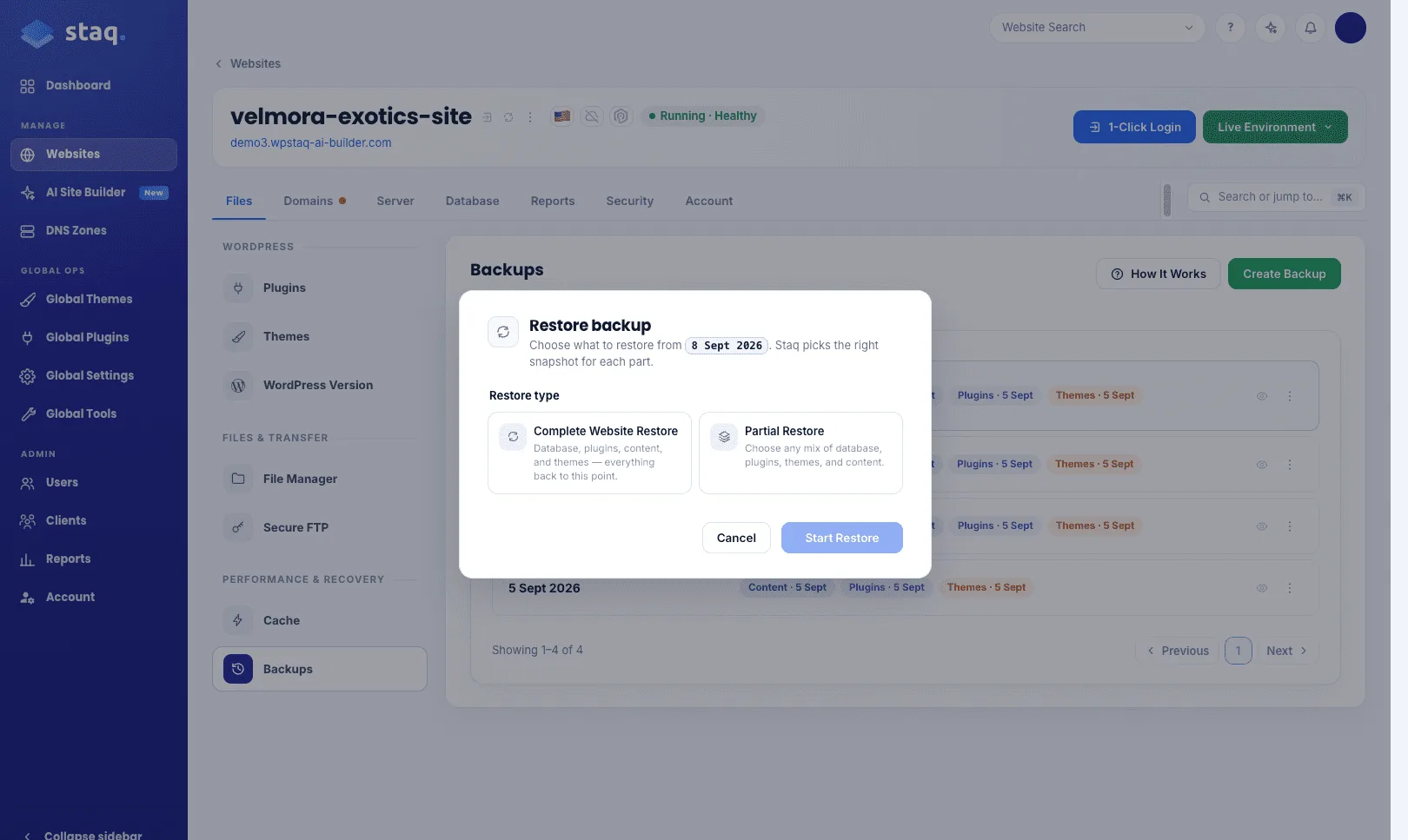
In the old dashboard, a restore was four jobs. Database. Content. Plugins. Themes. If you wanted a full site restore, that meant running all four separately.
We’ve improved the UI. Backups are grouped by day. Click Restore and you get a popup: one-click full site restore, or decide what to bring back. One restore. Not four.
Additional Fleet tools
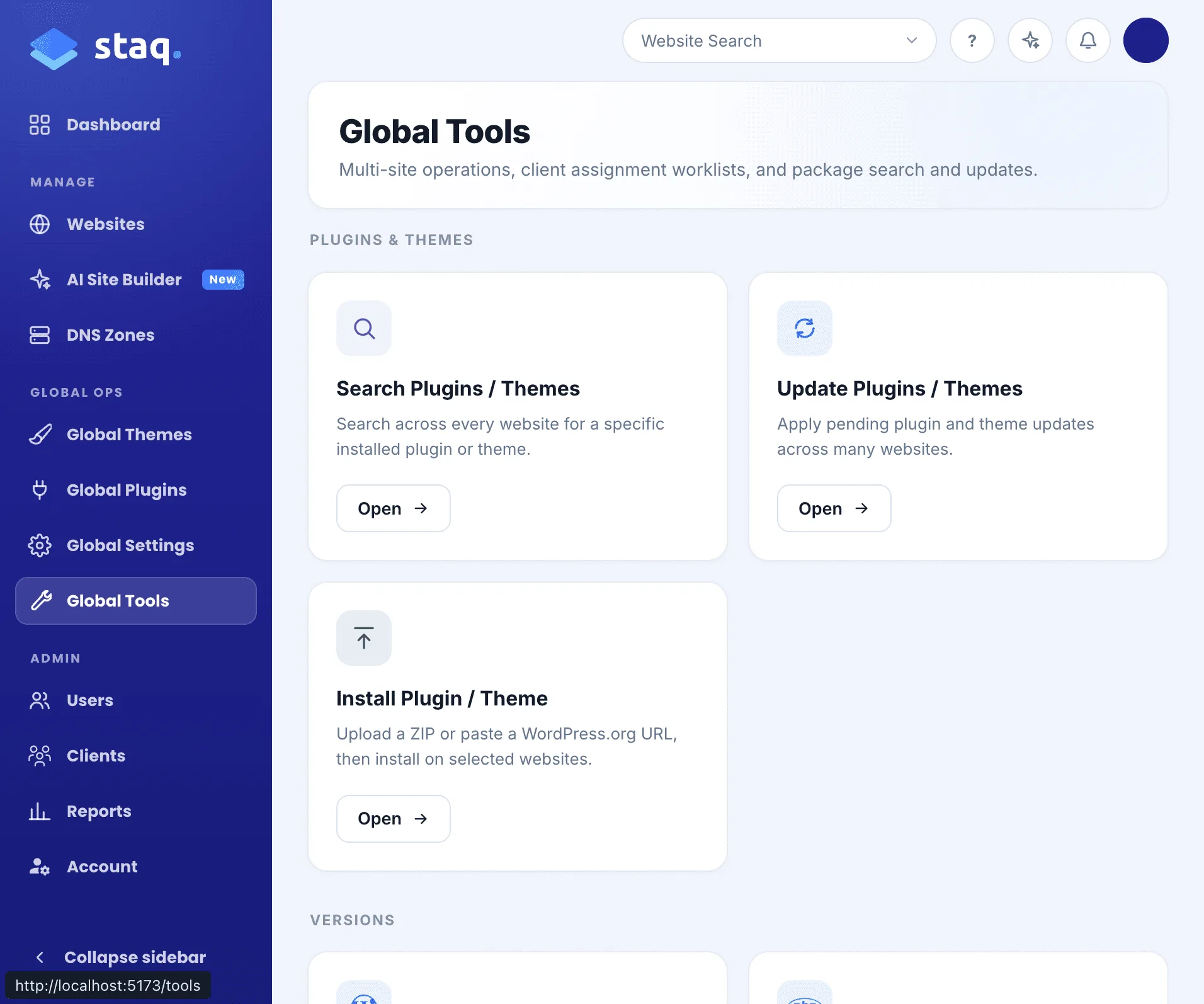
Under Tools, the previous Staq dashboard had Search Plugins / Themes, Bulk Updates, Bulk Reset, Bulk Purge. That is it.
The new dashboard expands upon this. Install Plugin / Theme: upload a zip file, then select all or select certain sites to install. This is where Global Plugins or Global Themes couldn’t apply. Update PHP Version: one list to view all sites and their PHP version. Run a compatibility check and select which sites to upgrade in one click. Change WordPress Version across sites. Toggle Object Cache across sites. Search still answers “who has Contact Form 7?” Now you can select those rows and update them in the same hit. Before, you could only search, but now you can search and update.
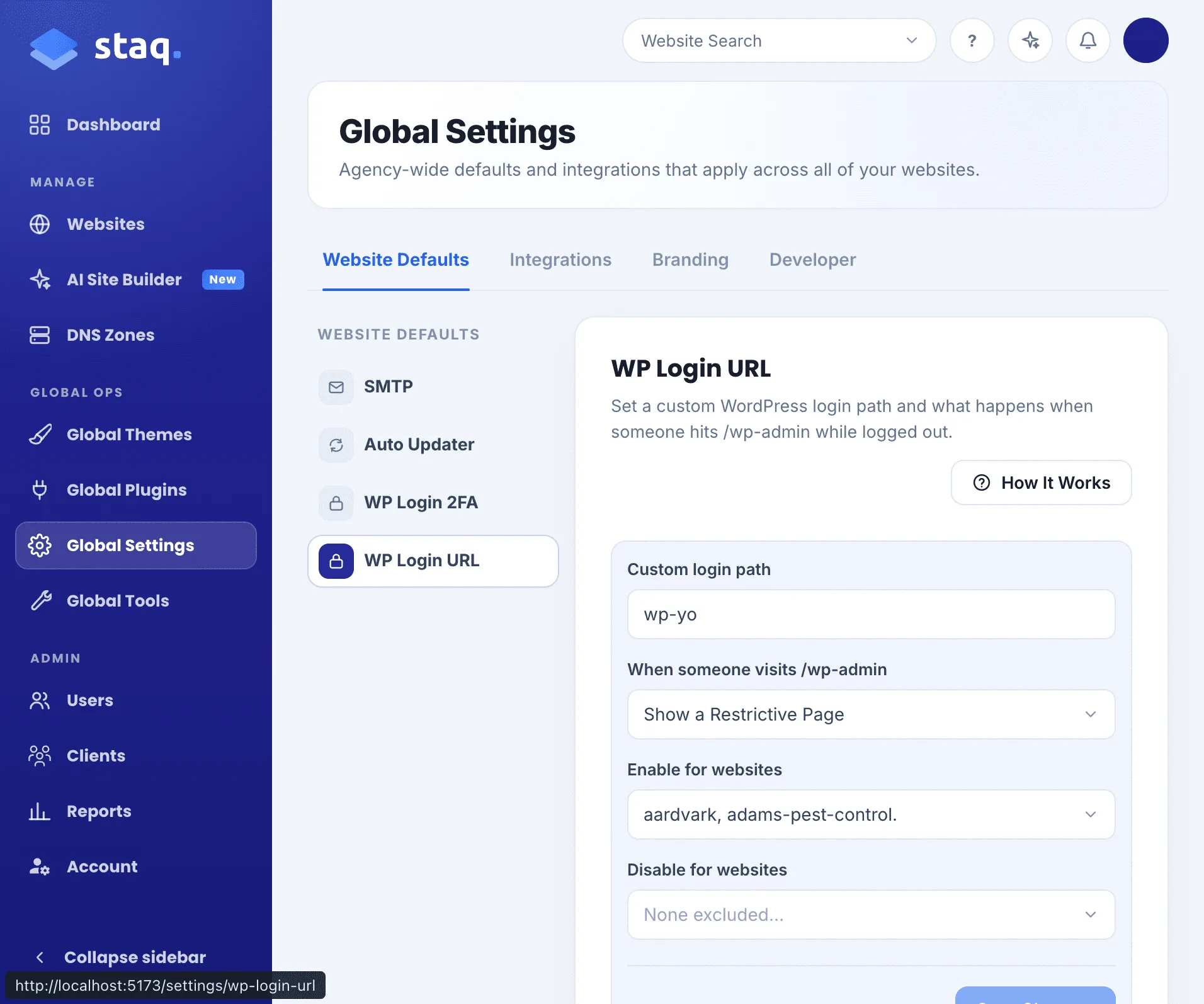
Global WP Login URL is new under Global Settings. If you want to change the wp-login.php URL for all your sites to a standardised URL, you can in one hit. But you have the option to override this and apply a custom login URL on a particular site.
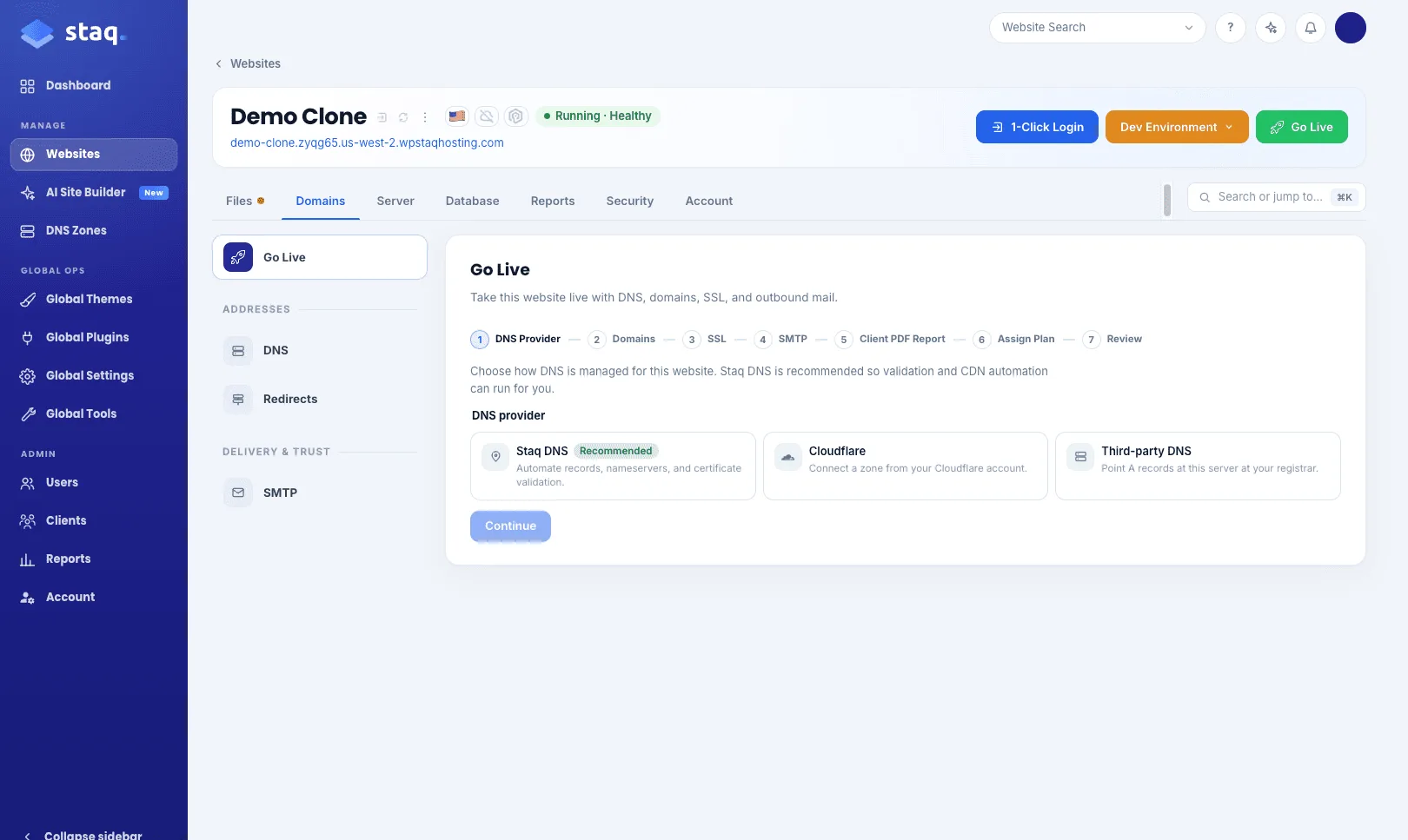
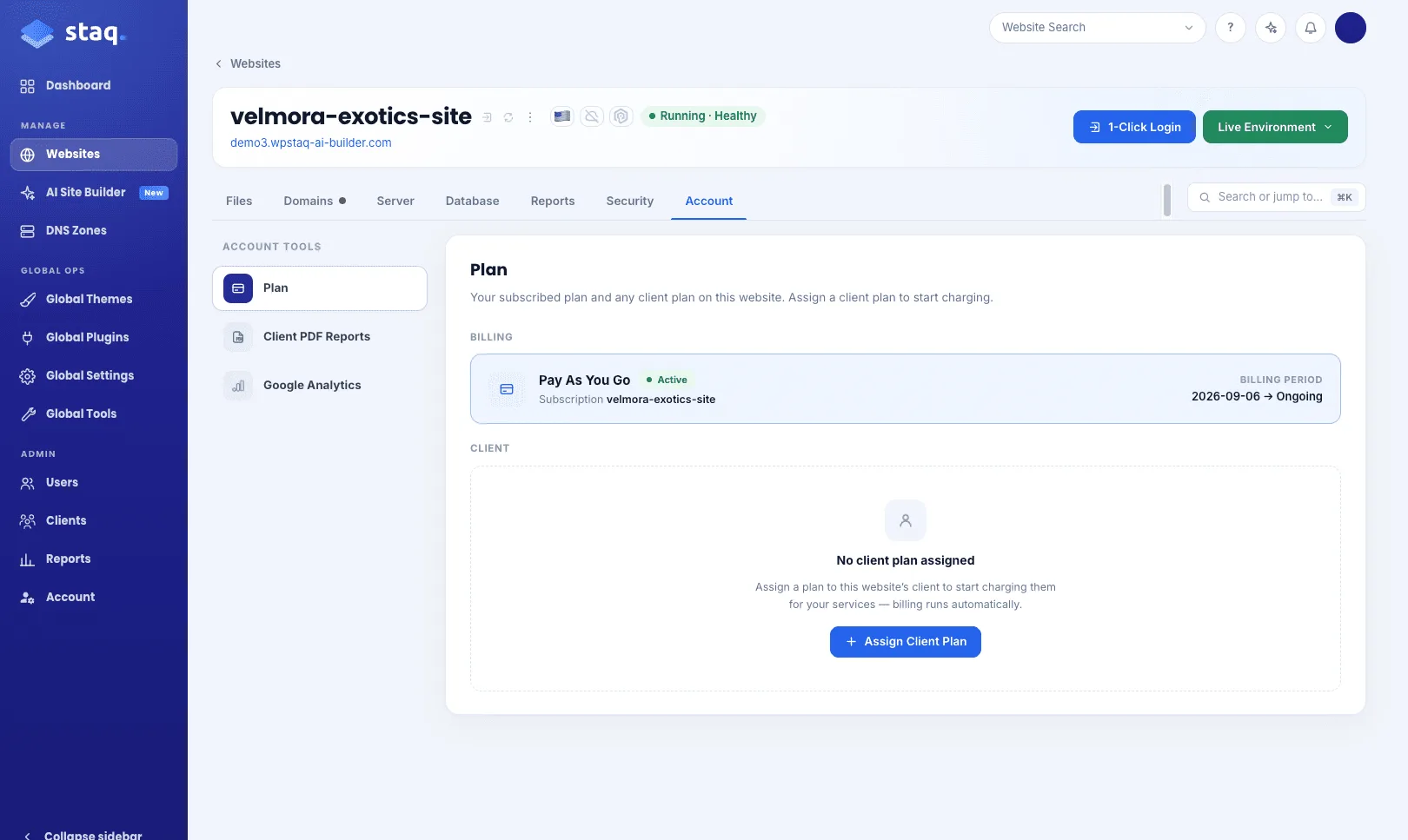
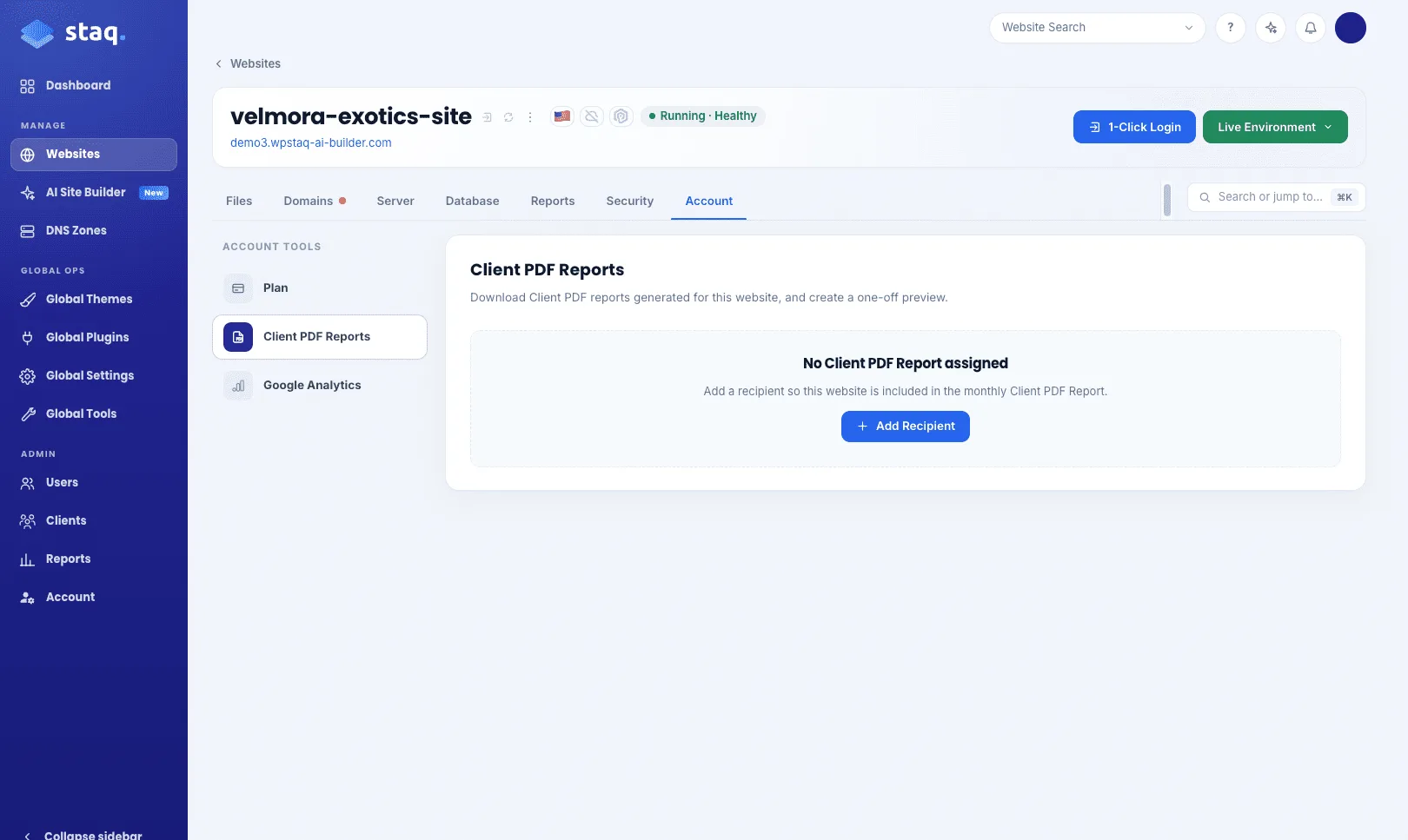
Plans and Client PDF Reports, on the site
The Go Live process now considers assigning both a plan (if you’re using Staq Billing to bill your clients) and/or assigning a Client PDF Report to a client. In the previous dashboard, it was disconnected and you had to apply it separately in the Reports section.
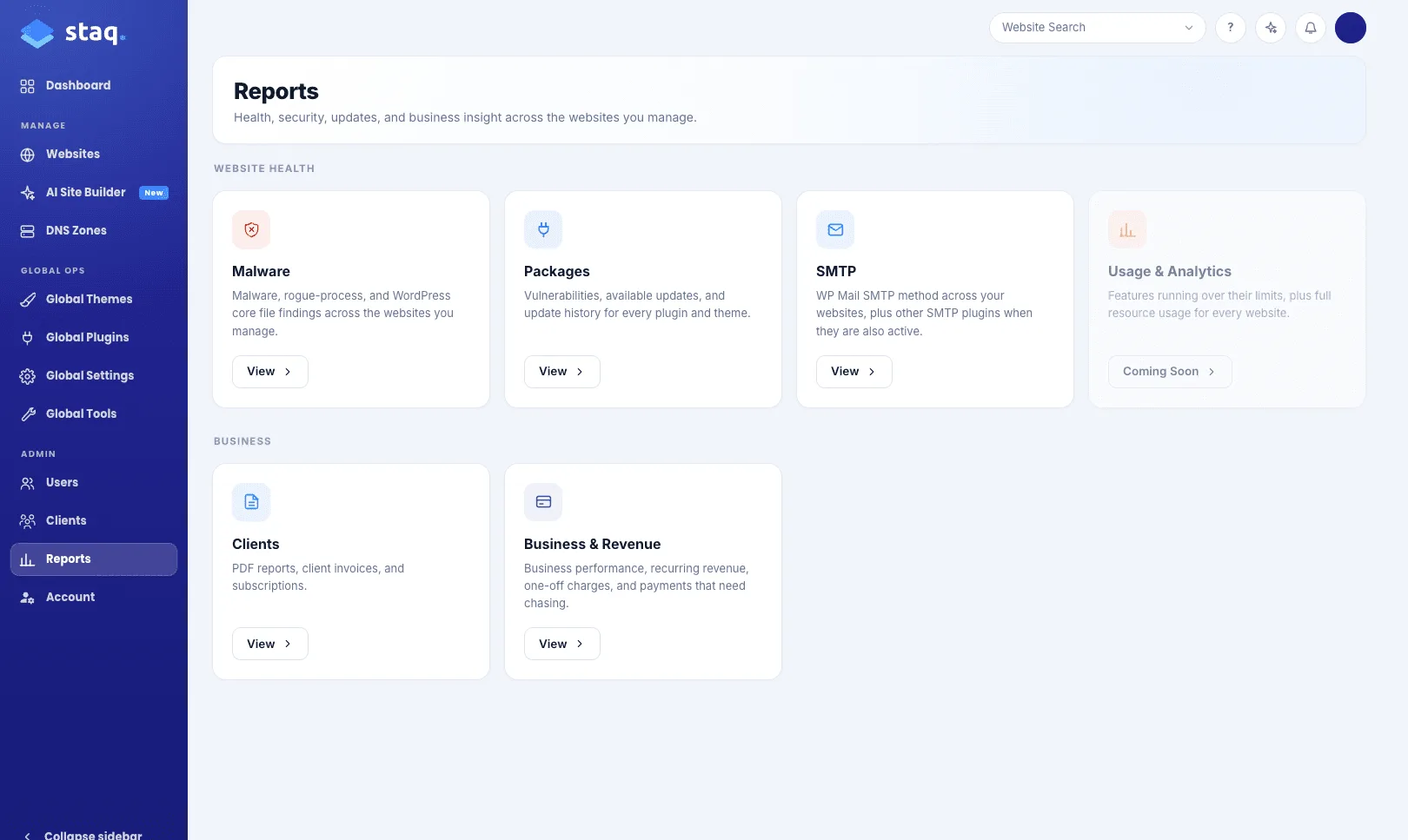
More Reports
We’ve expanded our internal reporting capabilities. You can now see Malware, SMTP, Client PDF Reports (unassigned) and Staq Billing (unassigned sites).
Launch Date
The new Staq dashboard together with the AI Site Builder is now out.
What’s next
MCP is coming, so you can connect AI agents to Staq through a better API. More reports are coming too, along with additional features. We’re only getting started so stay tuned!
If you’re interested in Staq, feel free to sign up. To our existing users (and potential new users), if you would live to have a chat, feel free to book in a call.
Stay safe,
Emmanuel Khoury
CEO of WPStaq
See it for yourself.
Create a WordPress environment in 60 seconds. Migrate your first site free. 400+ agencies already made the switch.
